Per the Department of Health, Disability and Ageing:
- Under the Health Insurance Act 1973 (the Act), the Australian Government subsidises the cost of health services. This is the legal basis for Medicare benefits to be paid to patients.
- When patients direct their Medicare benefit payment to their healthcare provider as full payment for a bulk-billed service, this requires an 'assignment of benefit' (AoB). In assigning their benefit, a patient is required to sign an agreement.
- Updated AoB requirements commence on 1 July 2026 and regulatory amendments will be made to support a 12-month transition period.
AoB can occur before or after a service is provided – this documentation only applies to 'post-assignment' where AoB occurs after the service was provided. The AoB process for post-assignment involves:
- The patient (or assignor) receiving an AoB Agreement (also referred to as "Bulk Bill Assignment Advice" that contains a required dataset as specific in the amendments to the Health Insurance Act 1973 (Cth);
- The patient (or assignor) accepting the AoB agreement and assigning their right to benefit; and
- The health professional retaining the approved AoB agreement for records.
If the patient or assignor does not assign their right to benefit, then the claim cannot be submitted.
To support compliance with these regulatory requirements for Medicare Online bulk bill claiming, the SDK supports an agreementMethod to be specified to determine how the patient's AoB is captured. There are two supported methods:
External: The Practice Management System or the provider captures AoB outside of Tyro Health and Tyro Health records that AoB was captured externally, allowing the claim to be submitted immediately without further AoB intervention from the Tyro Health API.
Tyro Health: Tyro Health manages the capture of AoB on behalf of the provider. When this method is selected, a valid mobile number for the patient (or their assignor) is required. Instead of immediately submitting the claim to Medicare, Tyro Health sends an SMS with a secure AoB agreement link to the provided mobile number. This link remains valid for 48 hours and directs the patient to a compliant portal to review and digitally assign their right to benefit before the claim is submitted. See the Tyro Health agreement type section for a breakdown of the flow.
ℹ️ This solution is optional and will not break existing SDK integrations that do not explicitly use it.
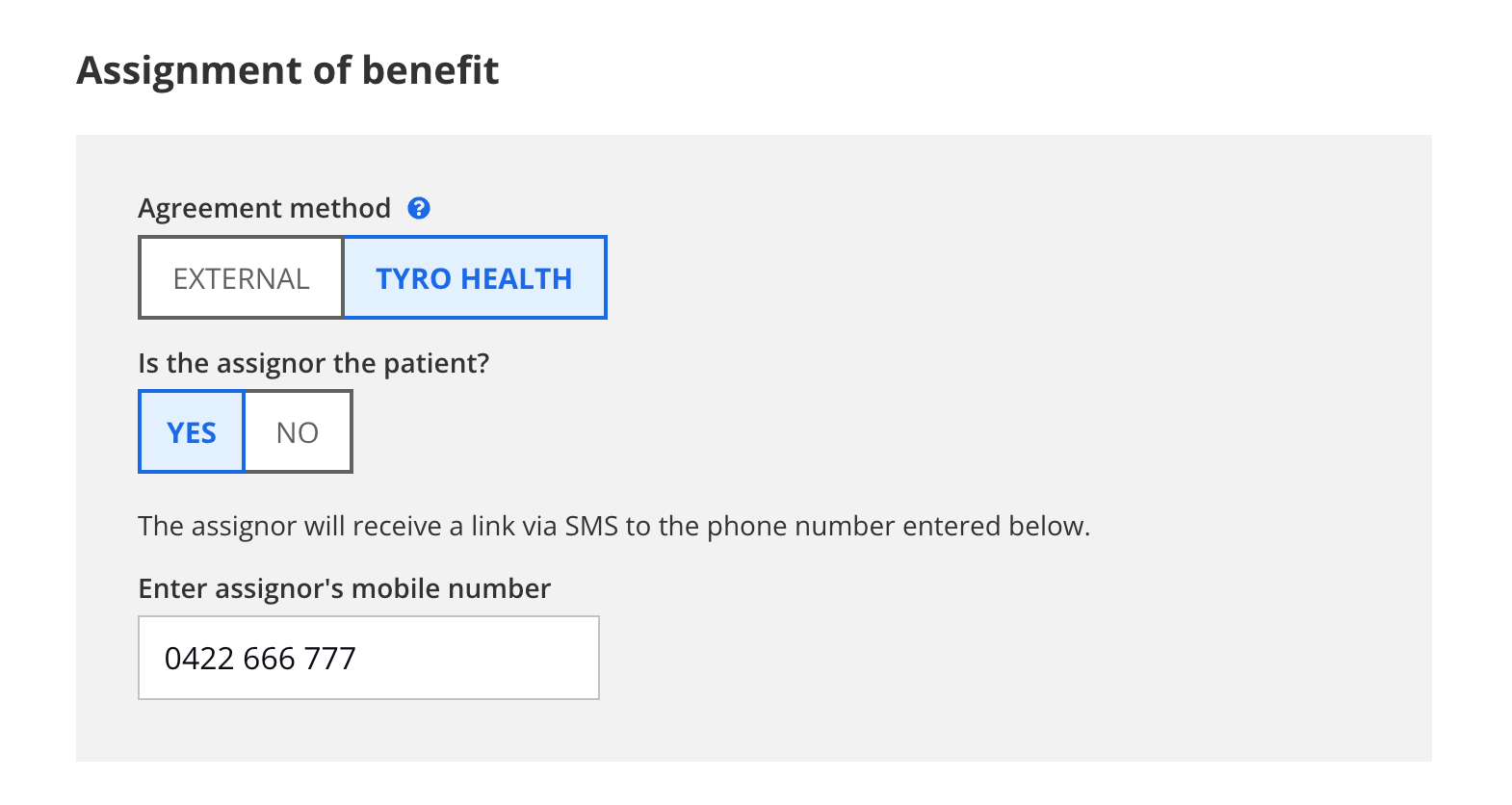 Example AoB UI
If utilising the Tyro Health agreement method, the claim submission operates as an asynchronous process:
Capture Data: Upon capturing claim data and sending the agreement link to the assignor, the agreement status is set to "pending" and the Medicare claim status remains unsubmitted.
Assignor Approval: Once the assignor accesses the link and accepts the agreement, the acceptance date, assignor status, and mobile number are securely recorded against the invoice for audit purposes.
💡 On assignor approval the webhook event
memberApprovedInvoicewill be fired.Submission: Tyro Health transitions the Medicare claim status to "Submitted" and submits the claim to Medicare.
To enable the AoB solution in the SDK, add the following object to the payload you're passing to renderCreateTransaction:
"aob": {
    "agreementMethod": "external" | "tyro",
    "isAssignorPatient": true | false,
    "mobile": "0424 444 444"
}
SDK payload example:
{
  "platform": "funder",
  "funder": "medicare",
  "providerNumber": "0909818T",
  "invoiceReference": "INV12345",
  "funderData": {
    "medicare": {
      "isBulkBilled": true,
      "aob": {
        "agreementMethod": "tyro",
        "isAssignorPatient": true,
        "mobile": "0424444444"
      }
    }
  }
}
Like other fields in the SDK, the fields in the aob object are optional and will be prompted for in the SDK UI if missing. For example, you can even pass through an empty object "aob": {}, which enables the AoB experience and prompts for all fields in the UI (including agreementType).